
Red Cross News
Search Through a List of Our Services.Home EnglishNewsServicesPress RoomFAQsJobsPublicationsMuseum
Be Prepared
Disaster Safety
After a Disaster
Educator's Information
Foreign Language Materials
About Us
Our Partners
News & Profiles
FAQs
Sept. 11 Assistance
Find Out How You Can Help.
Donate Online
Give Blood
Donate Tissue
Volunteer
Planned Giving
Donate Goods
  Find Your Local
  Red Cross
Enter Zip Code Here:

  Or Browse Through
  A List of Chapters!
Go to the Chapters Page
  Search Our Site

Receive monthly news, tips and updates from the Red Cross.

Email:


Find Out Who Are Supporters Are
arrow image Major Gifts Provide Essential Support of Red Cross Disaster Relief Fund

arrow image Look Who's Helping

arrow image Annual Disaster Giving Program

"The Notagains": A Disaster Preparedness and Response CD-ROM for Children

Program Section Descriptions

The CD-ROM has four main sections:

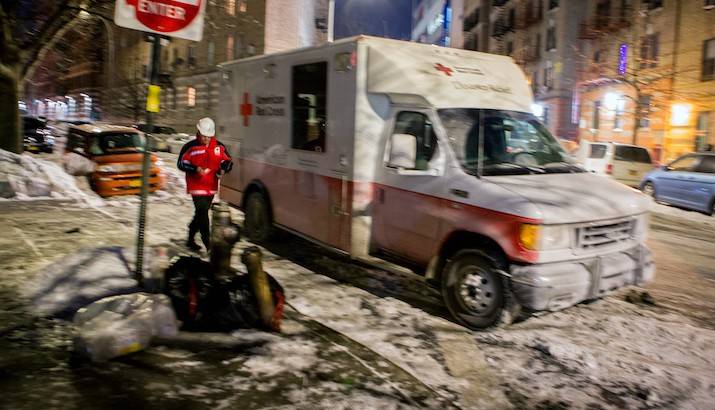
1. A "welcome" section, where the user is invited to register by typing in his or her name. The program requires registration prior to activating any other parts of the program. While in this section, the user can click on different buttons to find out more about the Red Cross, Phillips Petroleum, the EmTrac trucks, and disaster facts. It takes about 20-40 minutes to run through this section in its entirety.

2. A section that shows a stylized street and house. The house is the home of the "Notagain" family, who are the main characters with whom users interact. While on their street (or "home page"), the user can click on various things that pop up to get information on general disaster preparedness: what to do with pets, how people are warned about severe weather, evacuation instructions, calling 9-1-1, and several other issues. This section takes about 15-30 minutes to explore.

3. Inside the Notagains’ home. Here you can discover in-depth information about disaster safety in various rooms--a child’s bedroom, the parents’ room, the grandmother’s room, and the kitchen. Information is presented interactively in each location: why it’s important to keep a child’s room straightened up, how to assemble a disaster supplies kit, and lots more. This section will take 20-60 minutes to explore in detail.

4. A "Disaster Game" section. This section allows the user to select one of four hazards: fire, flood, tornado, or thunderstorm. The computer program then prompts the user to learn more about each hazard by interacting with the character on the screen. The user needs to do the right thing to earn "points." If he/she does wrong things, he/she is advised why his or her actions are wrong, and given an opportunity to take correct actions. When the user successfully completes each "game", he or she is advised about how they did, and given a chance to play that game again, select another hazard game, or leave the game section completely. Each game can take 8-15 minutes to complete. A total of about 25-60 minutes should be allowed for this section.

Return to "The Notagains" main page.

© Copyright 2001 The American National Red Cross. All Rights Reserved.        CONTACT US  |  SITE DIRECTORY  |  PRIVACY POLICY